The “Magic Trick” vs. The Reality
Most people treat AI coding like a magic trick. They think if they find the “perfect prompt,” they’ll get perfect code. They buy courses and “prompt libraries” hoping for a shortcut.
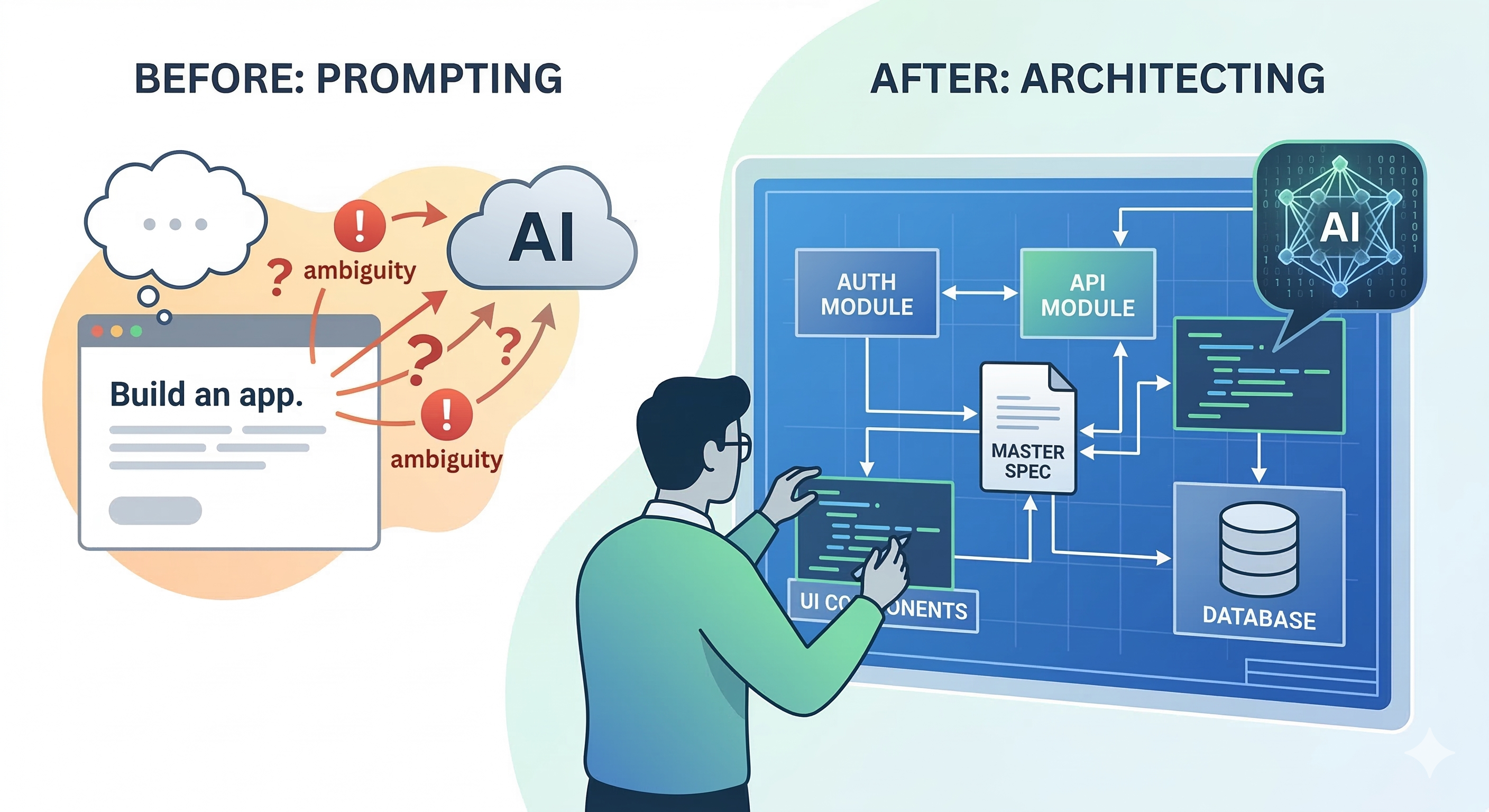
But there’s a shorter way: Understand how it actually works. Instead of “fishing” for the right answer every time, you need to learn the “What-How-Why” of AI-assisted development.
The #1 Enemy: Ambiguity
The most common mistake isn’t using the wrong AI; it’s being vague.
-
Vague: “Use Next.js”
-
Specific: “Use Next.js 16 with App Router and Turbopack.”
In 2026, the difference is massive. Without a version, the LLM defaults to its “center of gravity”—usually an older version it has more training data on. The less it guesses, the better your software will be.
Step 1: The “Multi-Model” Consensus
This is a trick i use almost on a daily basis.
Before you write a single line of code, use the AI as a consultant, not a coder. Open 3 or 4 different models (ChatGPT, Gemini, Claude) and ask:
“I want to build a [Project]. Show me a list of the most common features, and the most common mistakes people make while building them.”
This is a barebone example. I have better versions later
Compare the answers. Pick what fits your needs. Then, ask about security concerns and logical pitfalls. By the time you’re done, you don’t just have a “prompt”—you have a Technical Specification.
Step 2: Beware the “Vibe Coding” Trap
“Vibe Coding” is the dangerous habit of approving code because it looks clean and runs without errors. In 2026, AI is 1.7x more likely to introduce critical bugs than a human. You must be very specific about these non-negotiables:
-
Security by Default: Never just ask for a “Login function.” Ask for “A login function using Argon2id for hashing, with CSRF protection and HttpOnly cookies.” If you don’t ask, the AI might give you a 2015-era insecure snippet.
-
Error Handling: AI is “optimistic”—it writes for the “happy path.” You must explicitly say: “Write the error handling for this API. What happens if the DB is down? What if the rate limit is hit?”
-
Performance Slop: AI tends to repeat code rather than abstracting it. If you aren’t careful, you’ll end up with five versions of the same function. Tell the AI: “Keep this DRY (Don’t Repeat Yourself). Create a shared utility if this logic is used elsewhere.”
Step 3: The “Why” Factor (Context is King)
Why are you building this? What problem are you solving?
An AI given a “Delete” command might just wipe a database. An AI told “I want to prevent accidental data loss” will suggest a Soft Delete (using a deleted_at timestamp) or a confirmation modal. Giving the AI the intent helps it make better micro-decisions.
Step 4: Managing the “Brain Fog” (Context Windows)
Even the best models have a limit. The longer you chat, the “foggier” the AI gets. It starts losing the thread of earlier instructions.
The Solution: Spec-as-Map, Module-as-Blueprint
- Keep a Master Spec: Put your full project requirements in one file (e.g., spec.md).
- Modularize: Break the project into chunks—auth-module, api-module, ui-components.
- Reset and Focus: Start a fresh chat for each module. Feed it the Master Spec first so it has the “map,” then give it the specific “blueprint” for that module.
How to Build a “Hallucination-Proof” Master Spec
A common failure point is when the AI suggests a library that doesn’t exist or uses a syntax that was deprecated two years ago. To prevent this, your spec.md needs to act as a set of guardrails.
The Tech Stack “Anchor”
Don’t just list the language; list the Environment. This prevents the AI from mixing up Node.js logic with Edge Runtime logic.
-
Bad: “Use JavaScript and a database.”
-
Good: “Runtime: Node.js 22.x; Framework: Next.js 16 (App Router); Database: PostgreSQL via Prisma ORM; Styling: Tailwind CSS.”
The “No-Fly” List
If there are specific libraries you don’t want to use (perhaps because they are heavy or you’ve had bad experiences with them), list them explicitly.
“Constraint: Do not use Axios; use the native Fetch API. Do not use Moment.js; use Day.js for all date manipulations.”
State Management & Data Flow
Hallucinations often happen when the AI doesn’t know where the data is coming from. Define the “Single Source of Truth.”
-
Specify if state is handled by Zustand, React Context, or if you are strictly using Server Components with URL state.
-
If the AI knows exactly where the data lives, it won’t “invent” a global state variable that doesn’t exist.
Eliminate Assumptions
Even after you have put constraints and logical boundaries, AI will still try to do things on its own. Some of it is standard stuff, your input is generally not required. But in some cases, it assumes too much.
Force the AI to Interview You. Add this “Anti-Assumption” block to your prompts:
“If any part of this request is ambiguous, or if there are multiple ways to implement a feature, DO NOT PROCEED. Stop and ask me for clarification. List your assumptions before writing any code.”
When you give the AI “permission to pause”, you change the dynamic from Command-and-Control to Collaboration.
The “Definition of Done”
For every module, include a checklist of what “finished” looks like. This forces the AI to consider the boring-but-important parts.
-
“Must include TypeScript interfaces for all data structures.”
-
“Must include unit tests using Vitest.”
-
“Must pass accessibility (a11y) standards for screen readers.”
The “Spec-Check” Prompt
Once you have your spec written, don’t just paste it. Run this Validation Prompt first:
“Here is my technical spec for [Project]. Read it and tell me: Are there any conflicting requirements? Based on the tech stack I chose, are there any libraries mentioned that are incompatible or deprecated in 2026?”
This turns the AI into a Linter for your ideas before it becomes a Generator for your code.
The “Regret” Check
Why is this point so important? If you are a solo developer, this is gonna be a life saver for you.
Before finalizing any module, ask the AI one last thing:
“If a senior security engineer reviewed this code, what would be their biggest complaint?”
You’ll be surprised how often the AI “confesses” to a shortcut it took because you weren’t specific enough.
From Prompting to Solutioning
If you’re a seasoned engineer, you already know that a project is only as good as its requirements. If you’re just starting, stop looking for “tricks.”
The goal isn’t to let the AI do the work; the goal is for you to own the outcome. Treat the AI like a Junior Developer following a strict Jira ticket. Be specific, be cautious, and never trust a “vibe” over a test suite.
Last but not least: The Bitter truth
There is no shortage of influencers trying to convince you that AI is a “get rich quick” button. They’ll tell you that you can build a multi-million dollar side gig without knowing a lick of code. And while you can build faster than ever, nothing substitutes knowledge.
Blindly following AI is a recipe for disaster. If you don’t understand how things work under the hood, slow down. Instead of using AI solely to build your dream, use it to learn how to build your dream. Once you understand the underlying architecture, it becomes 100 times easier to spot where the AI took a shortcut or made a hallucinated mistake.
Reddit and X are littered with horror stories of people losing thousands of dollars because:
-
Their API keys were hardcoded and exposed to public repos.
-
Their database security was non-existent.
-
Their auth logic was a 2015-era snippet that’s easily bypassed in 2026.
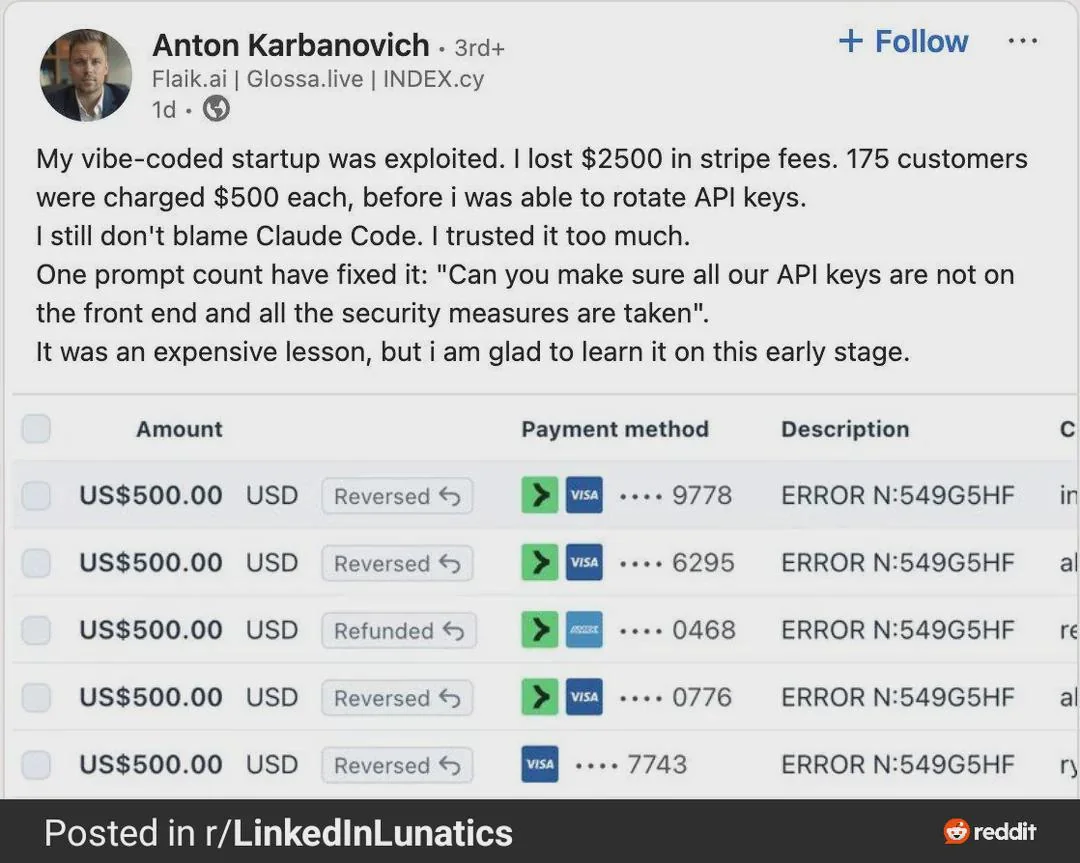
It is not the AI’s fault. AI is just a tool in your toolbelt; your brain is still the driving force. You are the lead engineer; the AI is just the intern with a very fast keyboard. Never ship code you don’t understand.