The Tailscale admin console told me everything was fine for a whole hour. It wasn’t.
Here’s the setup. I have one internal domain, internal.example.com, that resolves to a couple of private IPs on my office network. I wanted it routed through one specific node on my tailnet — the NAS — without turning on the exit node for everything else. Tailscale has a feature that’s supposed to be exactly this: app connectors. Their own blog calls it “a domain-specific exit node.” You point it at a domain, it routes matching traffic through a node you choose, everything else stays direct. Perfect. Except it wasn’t.
This is the story of how every layer of the console told me the thing was working while it advertised exactly zero routes, and how the actual fix turned out to be one DNS query.
The setup that looked right
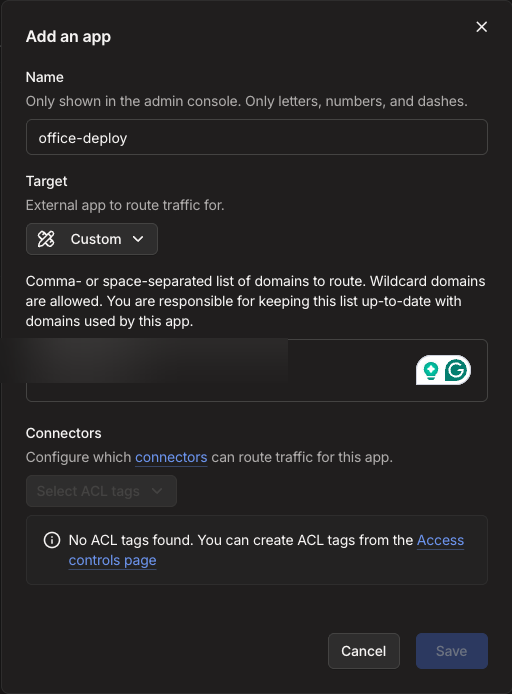
The flow in the console is: add an app, give it a name, give it the domain, pick the target, and then pick which connector nodes serve it. Connectors are matched by ACL tag, not by device. First attempt, the connectors dropdown was empty — “No ACL tags found.” So I made a tag, tagged the NAS with it, and bound the app to the tag.
On the node side, advertise the connector:
tailscale up --advertise-connectorThat’s where the first trap is. tailscale up refuses to change settings unless you mention every non-default flag you already have. It prints you a suggested command with all of them. I ran the suggestion and it failed — the suggested command included --exit-node-allow-lan-access, which can only be used with --exit-node. Tailscale suggested me a command that Tailscale itself rejects. Flat rule: never paste the suggested command, read what it’s really carrying.
The node came up with the connector badge in the console, and the machine list showed it:

The tag that ate my flags
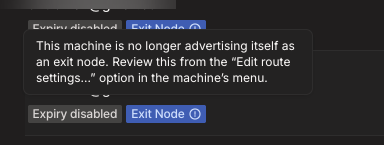
Then I tagged the node, which re-authenticates it. That’s the second trap. The tag registration silently dropped the --advertise-connector flag — the console still showed the badge, the app still showed the node as its connector, everything green, but the node was no longer running connector mode at all. The only hint was a little tooltip in the console that said the machine “is no longer advertising itself as an exit node” — the exit node got dropped too, and it didn’t say a word about the connector.
Custom apps need the whole policy
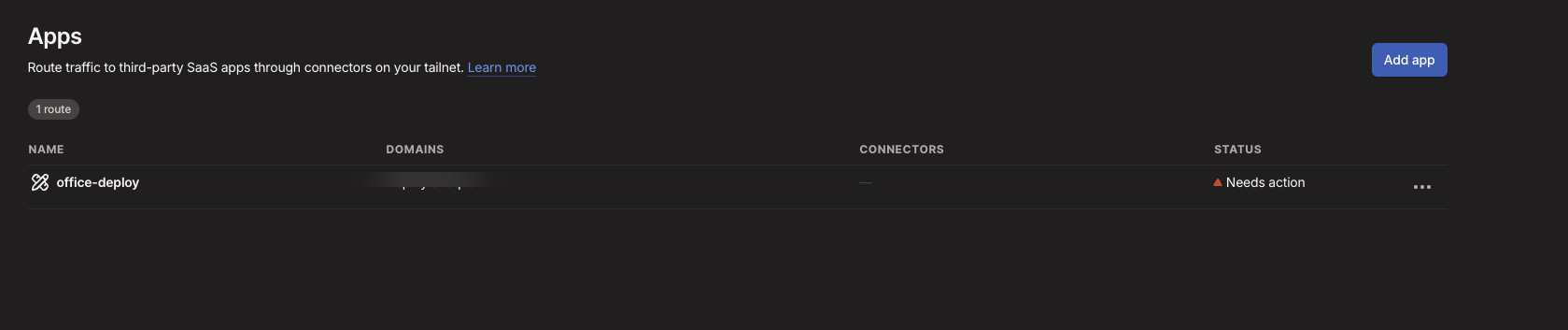
Third trap. Custom apps (a domain you typed yourself, not a preset like GitHub or Salesforce) need four things in the tailnet policy file: tagOwners, autoApprovers, grants, and nodeAttrs. The docs are explicit: custom app routes always require an autoApprovers rule. Without it the connector resolves nothing. The console lets you save the app happily with zero policy backing, and the Apps page shows you this:
I added the policy. Restarted the daemon. And now the console looked perfect. The app page, all green — active status, the domain listed, the egress IP showing, the NAS listed as the connector machine. This screenshot is what “everything is fine” looks like:
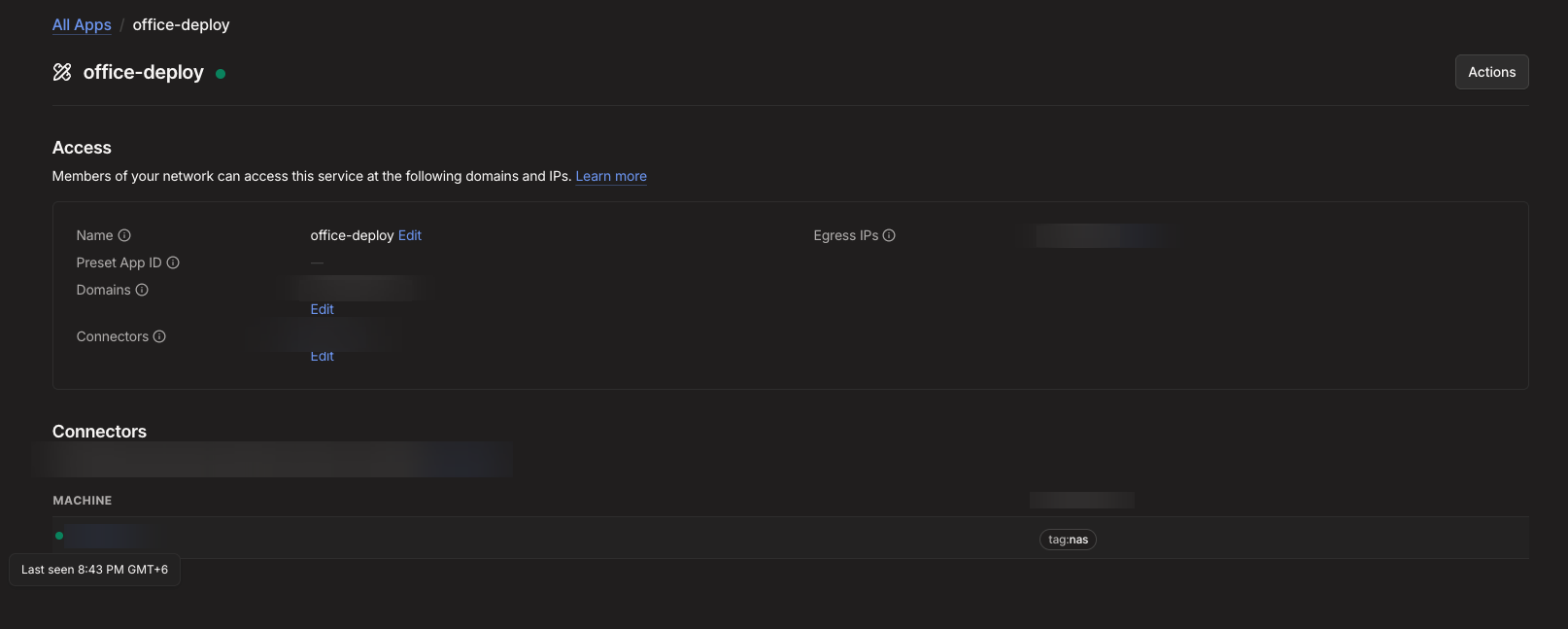
And it was advertising zero routes.
Learned routes: null
The daemon logs said appc: handling domains: [internal.example.com]. The route counter said (0 routes). There’s a diagnostic command that prints exactly this state:
tailscale appc-routes --all
# Learned Routes: null
The domain resolves fine from the node, public DNS returns the IPs, I verified it myself with a direct DoH query. The connector was configured, tagged, approved, and handling the domain. Zero routes. No errors anywhere.
Here’s the part the docs don’t tell you. The app connector doesn’t resolve domains on its own. The documentation says it “uses DoH to resolve configured domains to IP addresses,” which makes you think the connector goes out and looks them up. It doesn’t. It learns routes from DNS responses that clients send through it — the connector runs a DNS server over PeerAPI, and when a client queries a configured domain through that server, the connector observes the response and advertises the IPs it saw. The mechanism is literally called ObserveDNSResponse in the source.
My workstation had --accept-dns=false. So it never used Tailscale’s DNS, so the split-DNS entry for the domain was never installed, so no query ever reached the connector’s DNS server, so it sat there configured and healthy and learned nothing.
The fix was one DNS query from a machine that does accept Tailscale DNS:
dig internal.example.comWithin seconds the connector had learned all three IPs and was advertising them as /32 routes, and clients with --accept-routes started routing the domain through the NAS. The whole thing I’d been chasing through console pages and policy files was waiting for a single DNS request that one of my machines was silently never going to make.
What I learned
- The console shows you what you configured, not what’s happening. Green badges everywhere, zero routes advertised, for an hour. Any tool that shows status should be distrusted until you’ve verified behavior with a second source.
- Read the source. The docs said DoH, which sounds like active resolution. The code said “observe DNS responses,” which is a completely different mechanism. One read of the source saved what would have been another hour of console archaeology.
--accept-dns=falseis not a harmless preference. It disables every feature that depends on Tailscale DNS, including the route-learning path of app connectors. If you use this flag, this is the thing that breaks silently.- The console will let you save an app connector with none of the policy it needs. The validation is all on you.
TL;DR
App connectors don’t resolve domains themselves — they learn routes from DNS queries clients send through them. If every client on your tailnet has Tailscale DNS disabled, the connector will look perfectly healthy and advertise nothing forever. One dig from a machine that accepts Tailscale DNS fixes it.